You are browsing
79Consulting
Summary:
SuiteScript deprecation is a good reason to review your legacy scripts before release pressure turns the work into a rushed migration. Older SuiteScript 1.0, 2.0, and 2.x customizations may support finance, integrations, reporting, approvals, and daily operations. A phased SuiteScript 2.1 migration helps you rank risk, test business-critical workflows, deploy changes carefully, and leave clear ownership behind for future releases.
Key Takeaways:
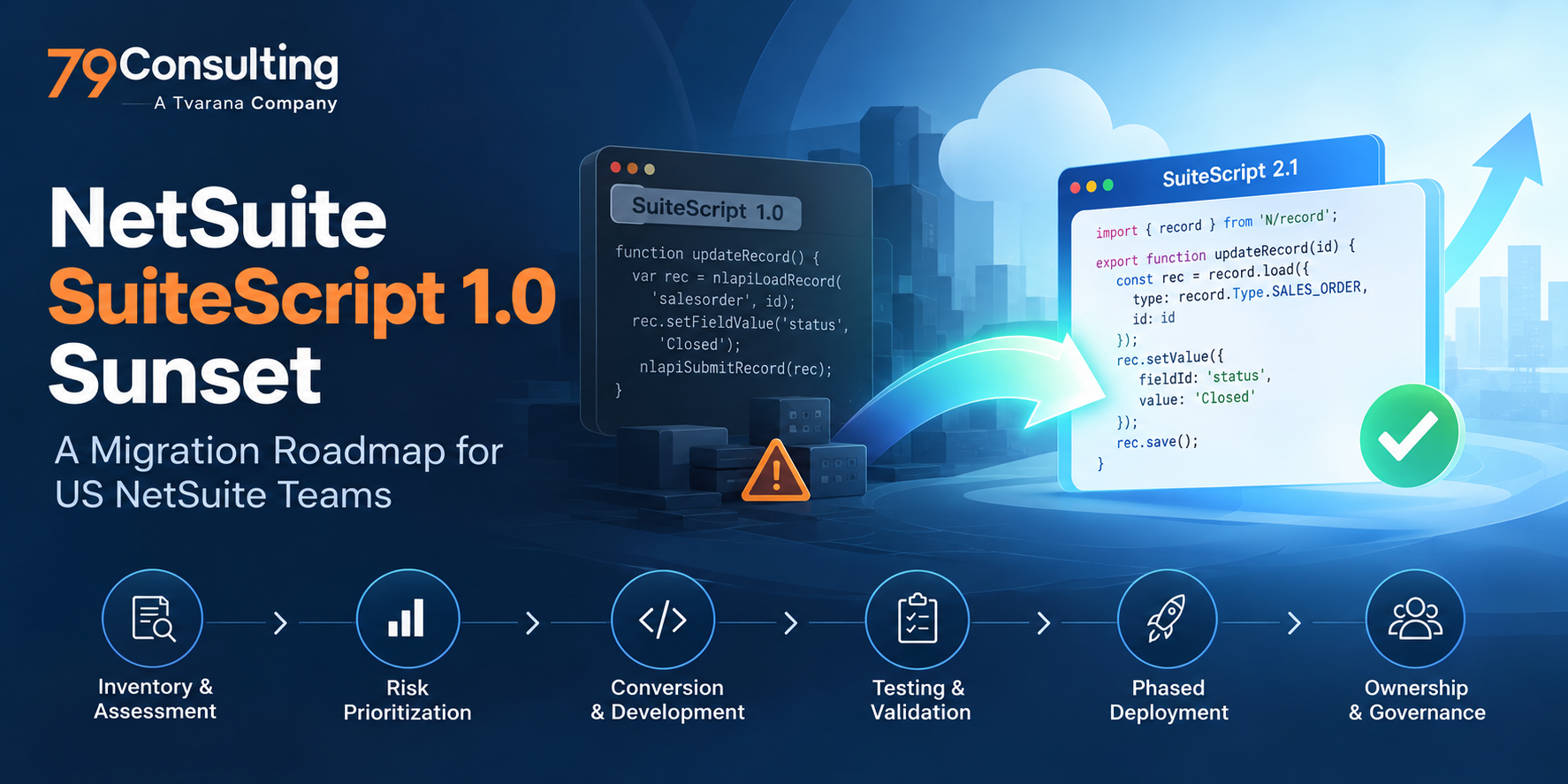
The shift away from older SuiteScript versions is now a practical planning issue for NetSuite administrators. Scripts built on SuiteScript 1.0, 2.0, or 2.x may support revenue, vendor bills, sales tax, banking files, reporting packages, approvals, and integrations. As the NetSuite 2026.2 release rolls out, check your Release Preview timing, upgrade notices, and older customizations that still run business-critical logic. If you don’t know what depends on those scripts today, release pressure is the wrong time to find out. This roadmap shows you what to review, how to rank migration risk, and how to move toward SuiteScript 2.1 without compressing discovery, testing, and deployment into the same window.
SuiteScript is the scripting framework developers use to add custom logic inside NetSuite. It can validate records, automate approvals, build Suitelets, run scheduled jobs, and connect NetSuite with external systems.
As your account moves through the NetSuite 2026.2 release cycle, watch the New Release portlet, Release Preview availability, and upgrade notices. Then check which SuiteScript versions are running in your account. Oracle says existing SuiteScript 1.0 scripts remain supported, but 1.0 will no longer receive new development. Oracle also recommends considering SuiteScript 2.1 for scripts using 1.0, 2.0, or 2.x.
NetSuite SuiteScript 1.0 end of life does not mean 1.0 will stop working overnight. The real pressure comes from carrying older code that no longer receives feature development while discovery, conversion, testing, business sign-off, and deployment all take time.
SuiteScript 2.1 gives developers a more current JavaScript foundation. Server scripts run on the Graal runtime engine with ECMAScript 2023 support, while older versions carry legacy runtime behavior and API patterns.
The practical issue is maintainability. Older scripts often contain undocumented logic, outdated external calls, and workarounds that become harder to support as your account changes. Moving to SuiteScript 2.1 gives you a reason to review those dependencies before they show up as integration failures, finance issues, or release-day surprises.
Testing matters because 2.1 can behave differently around strict mode, JSON parsing, promises, reserved words, error objects, and RESTlet returns. Treat those differences as regression-test items, especially when the script touches finance, integrations, permissions, or high-volume transactions.
The real risk with old scripts is losing track of what depends on them. Once ownership and dependencies are unclear, even a small technical change becomes harder to test safely. This technical debt also consumes real budget, as organizations invest more than 30% of the IT budget to manage and address technical debt. In NetSuite, that drag often shows up when scripts lose clear ownership or nobody can explain what a legacy customization controls.
The highest-risk areas usually include:
A controlled SuiteScript 2.1 migration starts with discovery, not code conversion. Before you change anything, identify which scripts matter, what they touch, who owns them, and how you will prove the business process still works afterward.
Build one inventory across active scripts, inactive scripts, old deployments, RESTlets, Suitelets, scheduled scripts, Workflow Action scripts, Client scripts, User Event scripts, and Map/Reduce scripts.
For each item, capture:
Score each script by migration effort and business impact. Prioritize scripts that support vendor bills, invoices, payments, revenue, inventory, tax, customer data, vendor bank details, approvals, or external integrations. That turns NetSuite technical debt into a migration backlog your team can actually work through.
Move in phases. Start with billing, payments, tax, revenue, and approval scripts. Then review high-volume transaction scripts, RESTlets, scheduled jobs, reporting scripts, and lower-risk UI helpers.
This gives you a practical path for learning how to migrate SuiteScript 1.0 to 2.1. In fact, 1.0 functions do not always map directly to 2.1 modules and methods, so budget time for API review, refactoring, and testing rather than treating the work as a line-by-line conversion.
Test the business process and the script together. Build cases around month-end close, revenue reports, purchase approvals, tax calculations, bank files, ecommerce orders, integrations, permissions, and audit-sensitive actions.
Use sandbox or Release Preview before production. Release Preview gives you a separate environment to test customizations, SuiteScripts, integrations, and business workflows against the new NetSuite version before your production account upgrades.
Deploy migrated scripts in controlled groups. Track execution logs, integration errors, scheduled script queues, and user-reported issues after release.
Document the script purpose, owner, supported process, test cases, release date, and rollback notes. This record makes the next handoff easier and gives you a clean starting point for the next NetSuite health check.
AI can support a move to SuiteScript 2.1 when you use it as an accelerator for manual work. SuiteCloud Developer Assistant works inside Visual Studio Code through the Cline extension and can generate code from developer input. Oracle also recommends reviewing generated changes before deployment.
NetSuite AI-assisted code conversion can help with:
Treat generated code as draft work. AI can help with structure, mappings, tests, comments, and troubleshooting, but it cannot confirm that a tax rule, approval path, integration contract, or account-specific permission is correct for your business. Keep developers responsible for final code review, sandbox testing, permissions, deployment sequencing, and sign-off.
At 79Consulting, we help US and global NetSuite teams turn SuiteScript deprecation into a planned migration project. We can start with a NetSuite customization audit, map the scripts and integrations that carry the most business risk, and build a migration sequence around your release and testing windows.
Our NetSuite strategic transformation services cover the broader work around optimization, administration, systems integration, ecommerce, and SuiteApps, which matters when legacy scripts connect several parts of your NetSuite environment.
For a SuiteScript sunset project, we can support script inventory, risk scoring, a SuiteScript 2.1 migration roadmap, integration review, testing, deployment, and documentation. If you need a SuiteScript migration partner, schedule a readiness call.
If you’re using the NetSuite 2026.2 release as a trigger to review older customizations, start before release timing narrows your testing window. The goal is to understand which scripts matter, what depends on them, and which ones should move first. That makes SuiteScript 2.1 migration easier to control and gives future administrators a much clearer system to support.
79Consulting can audit your scripts, map migration priorities, review integration risk, and support SuiteScript upgrade services through tested phases. A planned review now is far easier to manage than discovering a critical dependency during an upgrade.